Introduction
Grow a Garden 2 continues to be one of Roblox’s most engaging farming experiences, combining crop management, pet collecting, and resource gathering into a relaxing yet rewarding gameplay loop. As players expand their gardens, they unlock new seeds, discover rare pets, and earn more currency to improve their farms.
While the game is enjoyable, progressing through larger gardens often requires repeating the same activities over and over. Harvesting crops, selling produce, buying seeds, and searching for valuable pets can become increasingly time-consuming, especially during long farming sessions.
To help automate these repetitive tasks, the Roblox community has created a variety of scripts. One of the newest additions is Polluted Script, a No Key project that brings together several automation tools in a single interface.
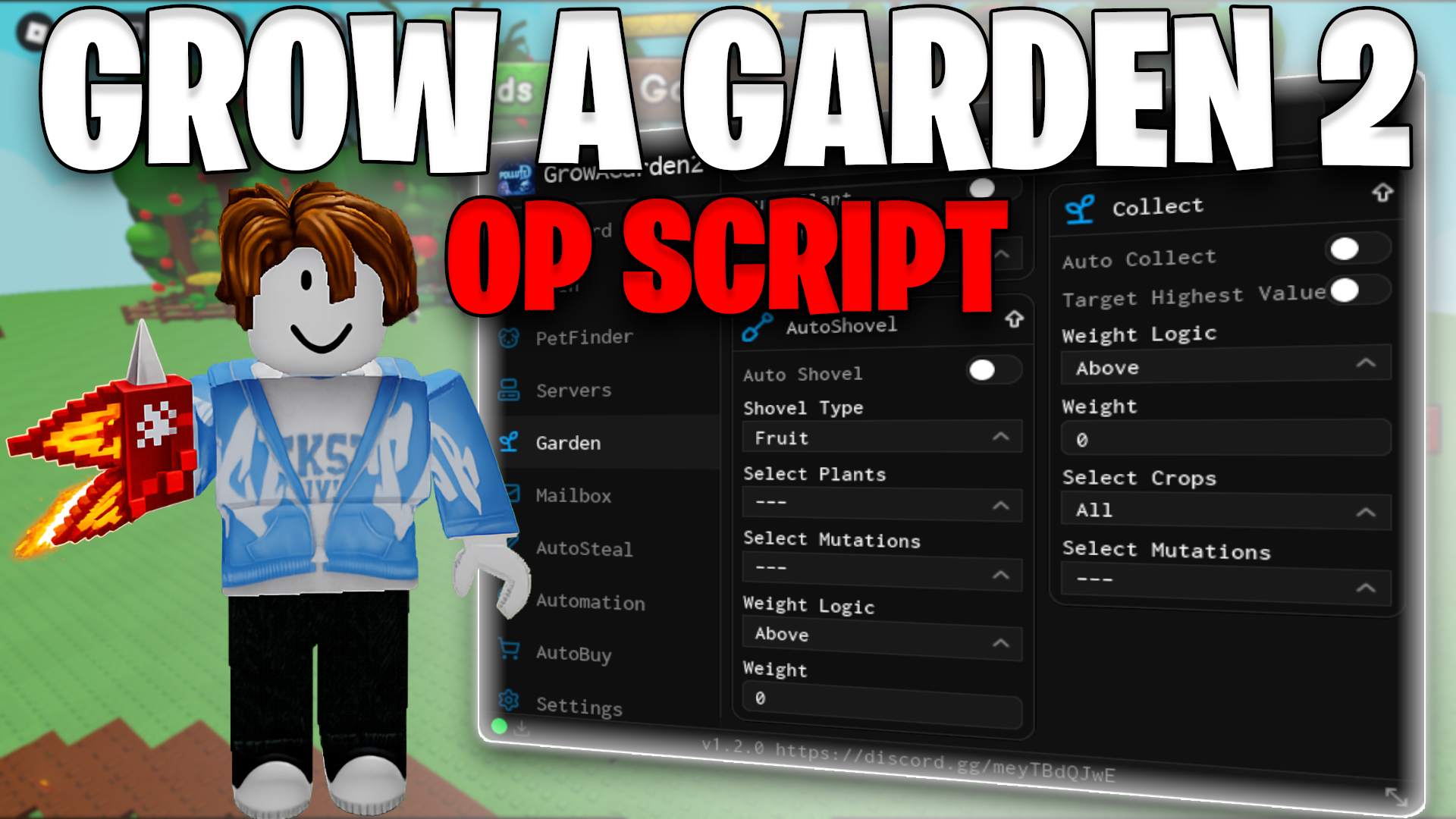
Rather than focusing on only one aspect of farming, Polluted Script combines harvesting, selling, seed purchasing, pet searching, and garden protection into one package. Features such as Auto Collect Fruits, Auto Sell, Auto Buy Seed, Pet Finder, Auto Steal, and Garden Protection are designed to simplify routine gameplay and help players manage their farms more efficiently.
In this guide, we’ll explore each feature, explain how it contributes to gameplay, discuss compatibility and performance, and provide an overview of what players can expect from this community-created script.
Disclaimer: Polluted Script is an unofficial Roblox community project and is not affiliated with Roblox Corporation or the developers of Grow a Garden 2. Using third-party executors or scripts may violate Roblox’s Terms of Use and could result in account moderation.
Quick Overview
Polluted Script is designed to automate several of the most repetitive activities in Grow a Garden 2.
Its primary features include:
- Auto Collect Fruits
- Auto Sell
- Auto Buy Seed
- Pet Finder
- Auto Steal
- Garden Protection
- No Key Access
Instead of relying on multiple scripts for different tasks, players can access these automation tools from one organized interface.
Understanding Grow a Garden 2 Gameplay
The core gameplay of Grow a Garden 2 revolves around planting seeds, growing crops, collecting harvests, earning currency, and expanding your farm.
As players progress, they unlock more valuable crops and pets while managing larger gardens that require increasing amounts of attention.
A typical farming session involves:
- Planting seeds.
- Harvesting crops.
- Selling produce.
- Buying new seeds.
- Searching for pets.
- Protecting the garden.
- Expanding the farm.
Although these mechanics create satisfying progression, repeating them manually for extended periods can become repetitive.
Auto Collect Fruits
Harvesting crops is one of the most common activities in Grow a Garden 2.
Polluted Script includes an Auto Collect Fruits feature designed to automate this process and reduce the amount of manual interaction required during farming.
According to the current version, this feature focuses on collecting harvested crops quickly, helping players clear their gardens more efficiently after each harvest cycle.
For larger farms filled with high-value crops, reducing collection time can make long farming sessions feel much smoother while allowing players to focus on expanding their gardens instead of repeatedly gathering individual fruits.
Auto Sell
Selling crops is another routine activity required to earn currency and continue progressing.
Instead of visiting the selling point after every harvest, Polluted Script provides an Auto Sell feature that automates the process whenever appropriate.
By automatically converting harvested crops into in-game currency, players can maintain a continuous farming cycle without repeatedly performing the same manual actions.
This creates a smoother gameplay experience, particularly for players managing larger gardens with frequent harvests.
Auto Buy Seed
Keeping your garden productive requires a constant supply of seeds.
Normally, players must visit the shop, browse available items, and purchase seeds manually whenever their inventory begins to run low. While this process is simple, repeating it after every harvest can interrupt the overall farming routine.
Polluted Script includes an Auto Buy Seed feature that automates this step.
Instead of stopping to purchase seeds manually, the script can automatically acquire new seeds whenever needed, allowing players to maintain a continuous planting cycle.
For players running large farms, this feature helps reduce downtime between harvests and keeps production moving without unnecessary interruptions.
Pet Finder
Pets are an important part of Grow a Garden 2, offering unique bonuses that can improve different aspects of farming and progression.
Finding specific companions manually can sometimes take time, particularly when searching through large areas or waiting for certain pets to appear.
Polluted Script includes a Pet Finder feature designed to help players locate available pets more efficiently.
Rather than relying entirely on manual exploration, this feature assists with identifying pets that may be useful for expanding a player’s collection and improving their farming setup.
For collectors aiming to obtain rare or valuable companions, having a dedicated search tool can make the process much more convenient.
Auto Steal
One of the unique mechanics in Grow a Garden 2 is the ability to interact with other gardens under certain gameplay conditions.
Polluted Script includes an Auto Steal feature that automates these interactions instead of requiring players to perform every action manually.
Because this mechanic is part of the game’s design, many players use it as another way to collect valuable resources while continuing their overall progression.
The automation simply reduces repetitive interaction during these activities, allowing players to focus on managing their own farms.
Garden Protection
Managing a successful farm isn’t only about collecting crops—it also involves protecting your hard-earned progress.
During certain gameplay situations, other players may attempt to interact with your garden.
Polluted Script includes a Garden Protection feature that focuses on helping safeguard your farm while you’re busy with other activities.
By adding an additional layer of automation to defensive tasks, the script helps players spend less time monitoring their gardens and more time enjoying other parts of the game.
For long farming sessions, this feature can provide extra peace of mind while managing larger collections of valuable crops.
SHOWCASE:
Why Players Choose Polluted Script
Polluted Script combines several of Grow a Garden 2’s most frequently used automation tools into one organized interface.
Instead of switching between multiple scripts, players can manage harvesting, selling, shopping, pet searching, and garden-related activities from a single menu.
Its collection of features makes it useful for players who regularly spend long periods expanding their farms and collecting resources.
The clean layout also makes navigation straightforward, allowing users to quickly enable or disable features based on their current farming goals.
Long Farming Sessions Made Easier
As your farm grows, so does the amount of routine work required to keep everything running efficiently.
Harvesting crops, selling produce, purchasing seeds, and managing pets eventually become a repeating cycle that takes up much of each play session.
Automation tools like Polluted Script aim to simplify these repetitive tasks, allowing players to spend less time on routine actions and more time exploring new content, upgrading their gardens, and collecting rare items.
For many members of the Roblox community, this convenience is the main reason these types of community-created tools remain popular.
Compatibility
Polluted Script is designed to work with supported Roblox executors that are compatible with the latest version of Grow a Garden 2.
Since both Roblox and the game itself receive frequent updates, compatibility may occasionally change after major patches. Community developers typically release updated versions to restore functionality and maintain support for new game builds.
To achieve the best experience, players should always use the latest version of both the executor and the script.
SCRIPT CODE:

Script Box
Performance
One of Polluted Script’s biggest strengths is its ability to combine several farming tools into a single interface.
Instead of switching between different scripts for harvesting, selling, seed purchasing, and pet management, players can control everything from one organized menu.
Performance may vary depending on several factors, including:
- Device specifications.
- Roblox version.
- Executor compatibility.
- Internet connection.
- Current Grow a Garden 2 updates.
Keeping your software up to date helps improve stability and reduces compatibility issues after new releases.
Main Advantages
Polluted Script includes a wide range of automation features that simplify many of the game’s repetitive farming mechanics.
Some of its main highlights include:
- No Key access.
- Auto Collect Fruits.
- Auto Sell.
- Auto Buy Seed.
- Pet Finder.
- Auto Steal.
- Garden Protection.
- Organized user interface.
- Beginner-friendly controls.
By bringing these features together, the script allows players to manage their farms more efficiently without constantly repeating routine actions.
Things to Keep in Mind
Like most community-created Roblox projects, Polluted Script may require updates whenever Grow a Garden 2 receives major patches.
Some features could temporarily stop functioning until a compatible version is released by the developer.
It’s also important to remember that Polluted Script is an unofficial community project and is not developed by Roblox or the creators of Grow a Garden 2.
Because of this, supported features and compatibility may change over time.
Frequently Asked Questions
What is Polluted Script?
Polluted Script is a community-created automation script developed for Grow a Garden 2. It combines several farming and garden management features into a single interface.
Does Polluted Script require a key?
No. According to the current release, Polluted Script is available as a No Key script.
What features are included?
The script currently offers:
- Auto Collect Fruits
- Auto Sell
- Auto Buy Seed
- Pet Finder
- Auto Steal
- Garden Protection
What does Auto Collect Fruits do?
It automatically gathers harvested crops, helping players collect fruits much faster during farming sessions.
Does the script automatically sell crops?
Yes. The Auto Sell feature is designed to convert harvested crops into in-game currency automatically whenever appropriate.
Can Polluted Script purchase seeds?
Yes. Auto Buy Seed automatically buys new seeds, helping maintain a continuous farming cycle.
What is the Pet Finder feature?
Pet Finder assists players in locating pets more efficiently, making it easier to expand their collection.
How does Garden Protection work?
Garden Protection focuses on helping safeguard your farm during gameplay, reducing the need to constantly monitor your crops.
Is Polluted Script officially developed by Roblox?
No. It is an independent community project and has no official connection to Roblox Corporation or the developers of Grow a Garden 2.
Final Verdict
Polluted Script delivers a well-rounded collection of automation tools for Grow a Garden 2, making everyday farming tasks more convenient and organized. By combining features such as Auto Collect Fruits, Auto Sell, Auto Buy Seed, Pet Finder, Auto Steal, and Garden Protection into one interface, it helps reduce repetitive gameplay while supporting a smoother farming experience.
Its No Key access, easy-to-use layout, and broad feature set make it an attractive choice for players looking to streamline their daily farming routine. As with any unofficial Roblox script, players should remember that compatibility may change after future updates, and using third-party tools may violate Roblox’s Terms of Use.