Introduction
Playing Roblox with friends is one of the best ways to enjoy the platform. While public servers are great for meeting new players, there are times when you may want a more private experience. Whether you’re hosting an event, practicing a game, creating content, or simply avoiding crowded servers, Roblox Private Servers offer a convenient solution.
A private server allows you to control who joins your game session. Instead of playing with random users, you can invite friends, teammates, or community members to enjoy a more organized environment. Many popular Roblox experiences support this feature, making it a favorite option for casual players and content creators alike.
In this guide, you’ll learn everything you need to know about Roblox Private Servers, including how they work, how to create one, how to invite friends, manage permissions, understand pricing, and solve common issues.
What Is a Roblox Private Server?
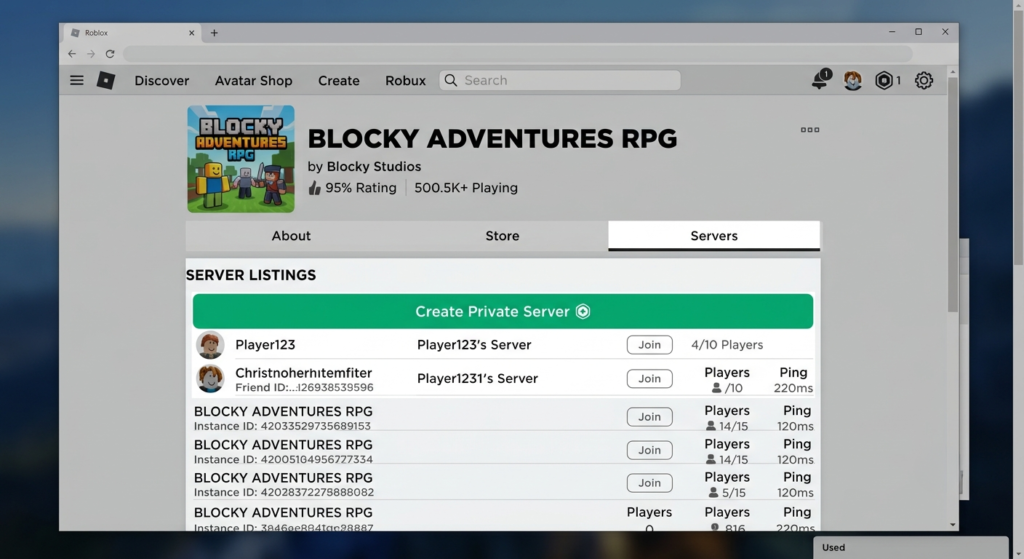
A Roblox Private Server is a dedicated game instance that gives players more control over who can join.
Unlike public servers, where anyone can enter if space is available, a private server is limited to players who have permission from the server owner.
Private servers are commonly used for:
- Playing with friends.
- Community events.
- Team practice.
- Recording YouTube videos.
- Roleplay sessions.
- Testing game mechanics without interruptions.
Not every Roblox experience supports private servers, as developers choose whether to enable this feature.
Benefits of Private Servers
Private servers provide a different gameplay experience compared to public servers.
Some of the biggest advantages include:
- More privacy while playing.
- Fewer interruptions from random players.
- Easier communication with friends.
- Better environment for roleplay games.
- Ideal for content creators and livestreams.
- More organized multiplayer sessions.
For many players, private servers make cooperative games much more enjoyable because everyone joins with the same purpose.
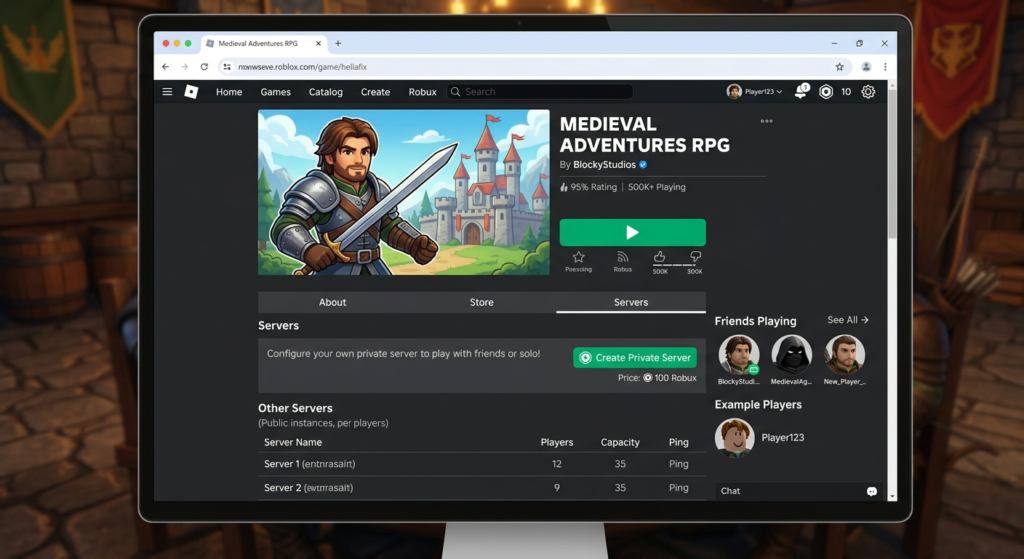
How to Create a Roblox Private Server
Creating a private server is simple if the game supports the feature.
Follow these steps:
Step 1
Open Roblox and log into your account.
Step 2
Visit the game that supports private servers.
Step 3
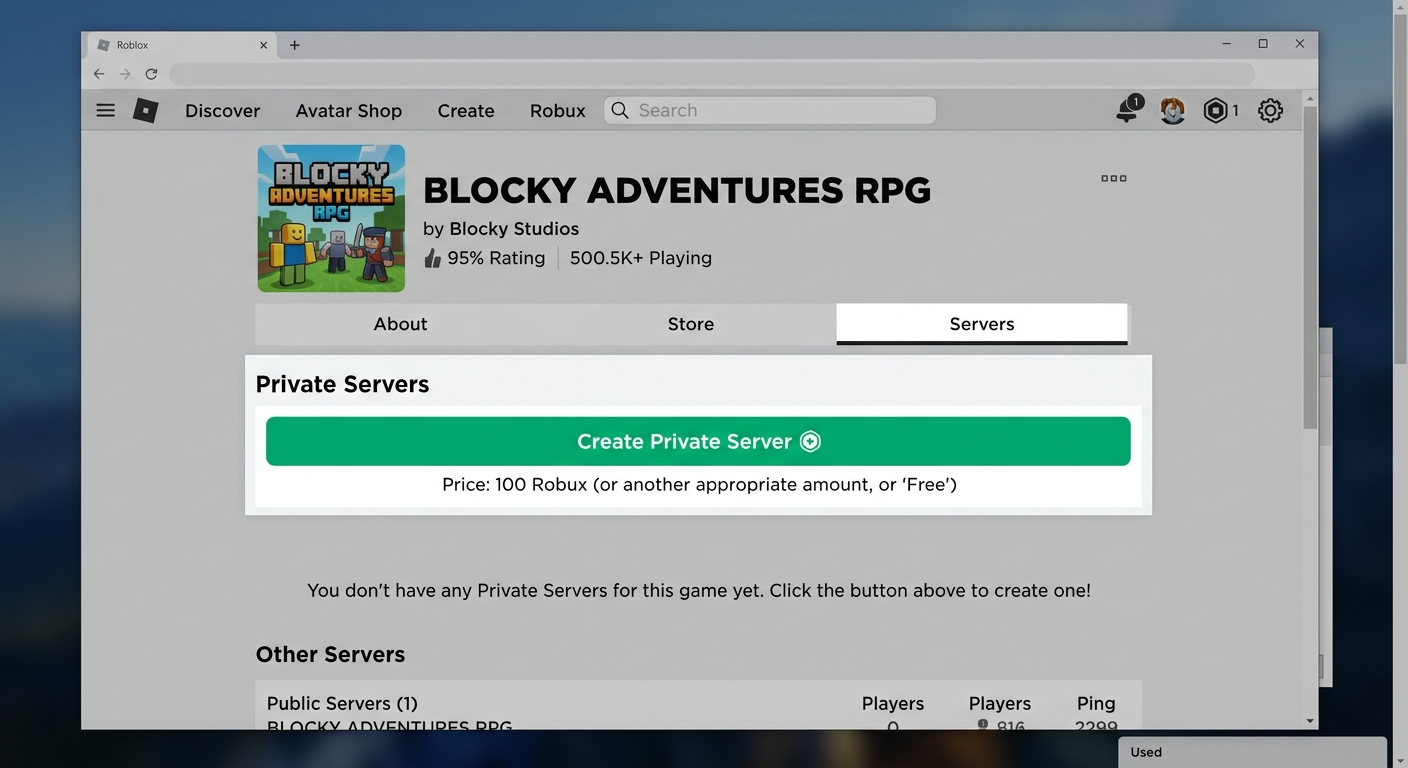
Scroll to the Private Servers section.
Step 4
Select Create Private Server.
Step 5
Enter a name for your server.
Step 6
Complete the setup process if required.
After the server is created, you can begin managing invitations and access permissions.
Managing Your Private Server
After creating your server, you can customize how it works.
Depending on the game, you may be able to:
- Rename your server.
- Invite specific players.
- Remove members.
- Generate invitation links.
- Adjust access permissions.
- Manage your active subscription if applicable.
Regularly reviewing your server settings helps keep your multiplayer sessions organized and secure.
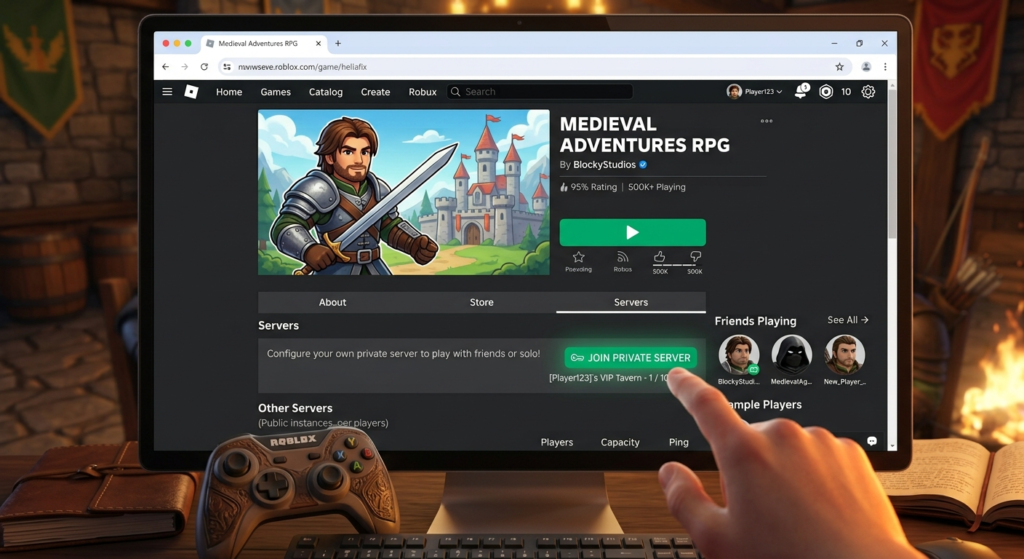
How to Join a Roblox Private Server
Joining a private server is just as simple as creating one, provided you have permission from the server owner.
There are several ways players can access a private server depending on how the owner chooses to share it.
The most common methods include:
- Receiving an invitation from the server owner.
- Joining through a private server link.
- Accessing the server from your friends list if permissions allow.
- Joining directly through the Roblox game page when invited.
If you don’t have permission, Roblox will prevent you from entering the server.
How to Invite Friends
One of the biggest advantages of private servers is having complete control over who can join your game.
After creating your server, you can invite friends by opening the server settings and managing the member list.
Depending on the game, you may be able to:
- Invite specific Roblox friends.
- Remove existing members.
- Update invitation permissions.
- Share a private server link when supported.
Keeping your member list organized helps create a better multiplayer experience, especially for roleplay sessions, tournaments, or community events.
Private Server Permissions
Server owners can decide who is allowed to join their private server.
Some games offer additional permission options that make managing large groups easier.
Typical permission settings include:
- Friends only.
- Selected players only.
- Invitation-based access.
- Public invitation link (when supported by the game).
Reviewing your server permissions regularly helps prevent unwanted players from joining your sessions.
Do Roblox Private Servers Cost Robux?
The cost of a private server depends on the individual Roblox experience.
Some games provide private servers completely free, while others require a monthly Robux subscription.
Because developers decide the pricing for their own games, there is no single cost that applies to every Roblox experience.
Before creating a server, always check the game’s Private Server section to see whether a subscription is required.
If a game charges Robux, you’ll usually see the current price before confirming your purchase.
| Feature | Public Server | Private Server |
|---|---|---|
| Random Players | Yes | No (unless invited) |
| Friend Control | Limited | Full |
| Privacy | Low | High |
| Multiplayer Events | Difficult | Easy |
| Roleplay Sessions | Less Organized | Highly Organized |
| Content Creation | More Interruptions | Better Environment |
Private servers are generally preferred for organized gameplay, while public servers remain ideal for meeting new players and experiencing larger communities.
Popular Roblox Games That Support Private Servers
Many of Roblox’s most popular experiences allow players to create private servers.
Examples include:
- Blox Fruits
- Brookhaven RP
- Adopt Me
- Murder Mystery 2
- Fisch
- Blue Lock Rivals
- Grow A Garden
- Dead Rails
Availability may change over time, and each developer decides whether private servers are supported.
Tips for a Better Private Server Experience
A few simple practices can make your private server sessions more enjoyable.
Here are some helpful recommendations:
- Invite only players you trust.
- Review your permission settings regularly.
- Keep your friend list organized.
- Use voice or text communication responsibly.
- Remove inactive members when necessary.
- Create clear rules if you’re hosting community events.
Whether you’re practicing with teammates or hosting a roleplay session, a well-managed server creates a smoother experience for everyone involved.
Common Roblox Private Server Problems
Although private servers are easy to use, players occasionally encounter issues when creating or joining them.
Most problems are caused by permission settings, game-specific restrictions, or temporary Roblox service issues.
Fortunately, many of these problems can be solved in just a few minutes.
Can’t Join a Private Server
If you receive an error while trying to join a private server, check the following:
- Verify that you’ve been invited.
- Confirm the server is still active.
- Make sure the game supports private servers.
- Check whether the owner has removed your access.
- Ensure your Roblox account is logged in correctly.
If everything appears correct, try restarting Roblox and joining again.
Private Server Option Is Missing
Sometimes players cannot find the Private Servers section on a game’s page.
Possible reasons include:
- The game does not support private servers.
- The developer has disabled the feature.
- The game page has changed after an update.
Remember that not every Roblox experience offers private servers, so the option may simply not be available.
Friends Can’t Join Your Server
If your friends are unable to join:
- Double-check your invitation settings.
- Make sure you’ve invited the correct Roblox account.
- Confirm the server is still active.
- Ask your friends to restart Roblox.
- Verify that the game hasn’t reached its player limit.
Most invitation problems are solved by reviewing the server permissions.
Improve Your Private Server Experience
To enjoy smoother gameplay with friends:
- Use a stable internet connection.
- Keep Roblox updated.
- Remove inactive members from your server.
- Review permission settings regularly.
- Use voice or text chat responsibly.
- Restart Roblox if you notice unusual connection issues.
These simple habits can help create a more enjoyable multiplayer session.
Frequently Asked Questions
What is a Roblox Private Server?
A Roblox Private Server is a dedicated game instance where the owner controls who can join.
Are Roblox Private Servers free?
Some Roblox experiences offer free private servers, while others require a monthly Robux subscription set by the game developer.
Can anyone join my private server?
No. Only players with permission from the server owner can join.
How do I invite friends?
Open your server settings, manage the member list, and send invitations or share a server link if the game supports it.
Do all Roblox games support private servers?
No. Support depends entirely on the game developer.
Can I rename my private server?
Many Roblox experiences allow you to rename your private server through the server settings.
Can I remove players?
Yes. Server owners can usually remove members or revoke access at any time.
Can I have multiple private servers?
Some games allow multiple servers, while others may limit the number you can own.
Why can’t I join my friend’s server?
Possible reasons include missing permissions, server restrictions, or temporary Roblox connection issues.
Can private servers improve performance?
Private servers may feel less crowded because fewer players are present, but overall performance also depends on your device, internet connection, and the game’s optimization.
Are private servers safer?
They offer more control over who can join, making them a good option for playing with friends or trusted community members.
Can I use Voice Chat in a private server?
Yes, if both the game supports Voice Chat and your account is eligible to use it.
Can I use private servers on mobile?
Yes. Supported Roblox mobile devices can join private servers just like PC users.
What happens if I cancel a paid private server?
If a game charges a recurring Robux subscription, access will typically end after the current billing period unless you renew it.
Are private servers worth it?
For players who frequently play with friends, create content, host events, or enjoy roleplay games, private servers can provide a more organized and enjoyable experience.
Final Verdict
Roblox Private Servers offer one of the best ways to enjoy multiplayer games with friends in a more controlled and organized environment. Whether you’re hosting community events, practicing with teammates, recording videos, or simply avoiding crowded public servers, they provide greater flexibility and privacy.
While availability and pricing vary between games, creating and managing a private server is generally straightforward. By understanding how invitations, permissions, and server settings work, you can build a better multiplayer experience for everyone you invite.
If you regularly play Roblox with friends, learning how to use Private Servers is a valuable skill that can make your gaming sessions more enjoyable, organized, and stress-free.