Grow a Garden 2 Script Lunar Hub
Welcome back! If you’re looking for a Grow a Garden 2 Script, I’d like to introduce you to a new one called Lunar Hub.
When I used it, I found several powerful features that really helped me complete tasks in Grow a Garden 2 much more easily.
Lunar Hub
It’s a script for Grow a Garden 2 that helps you complete tasks, improves your gameplay experience, and makes the game much more enjoyable.
Lunar Hub Features:
After using the script, I’ll show you the main features it comes with.
1- UI
The UI was very simple, well-organized, and easy for beginners to use.
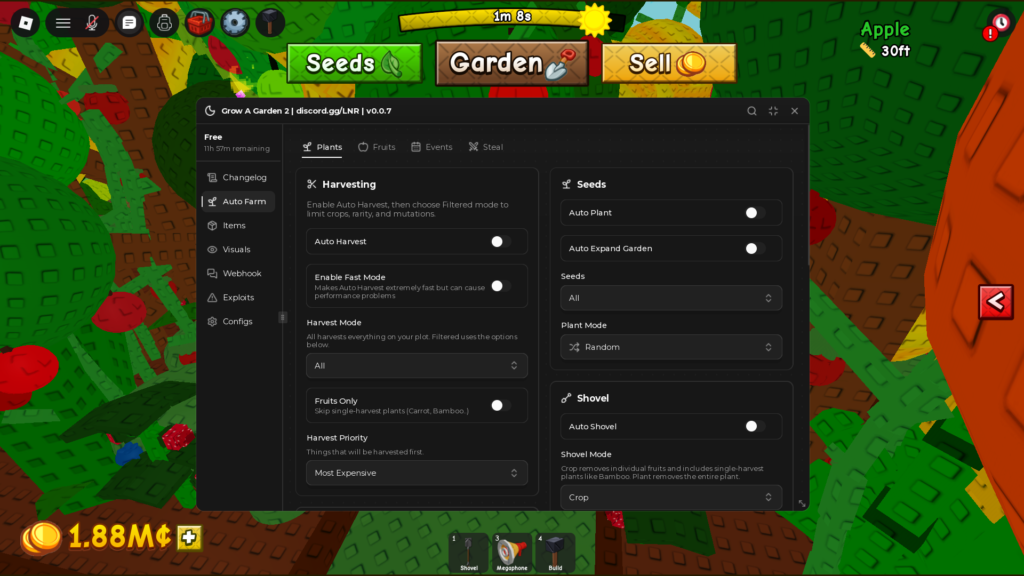
2- Auto Farm Menu
It includes multiple tabs, each with its own set of features.
+Plants tab
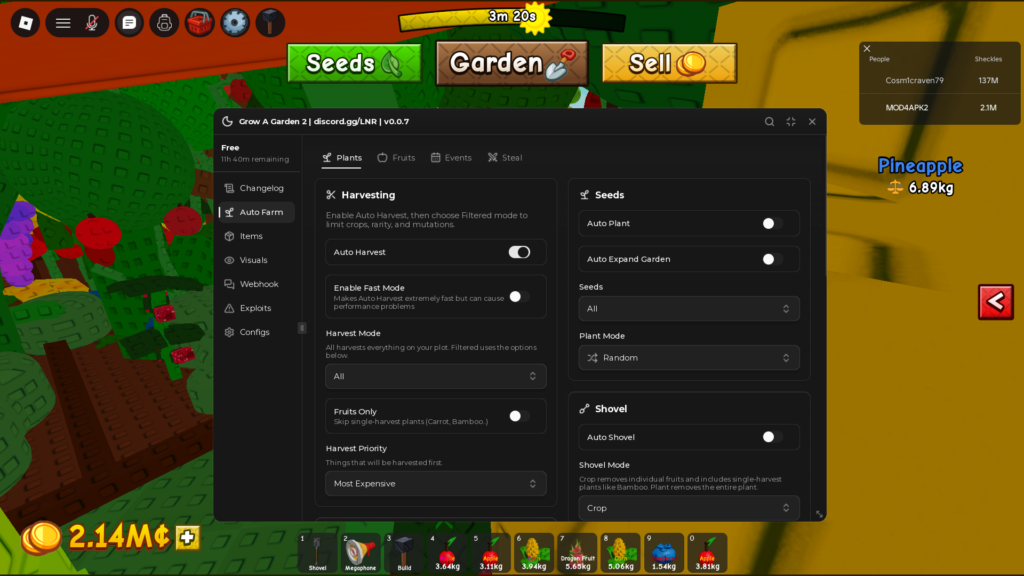
It comes with several features, starting with Auto Harvest.
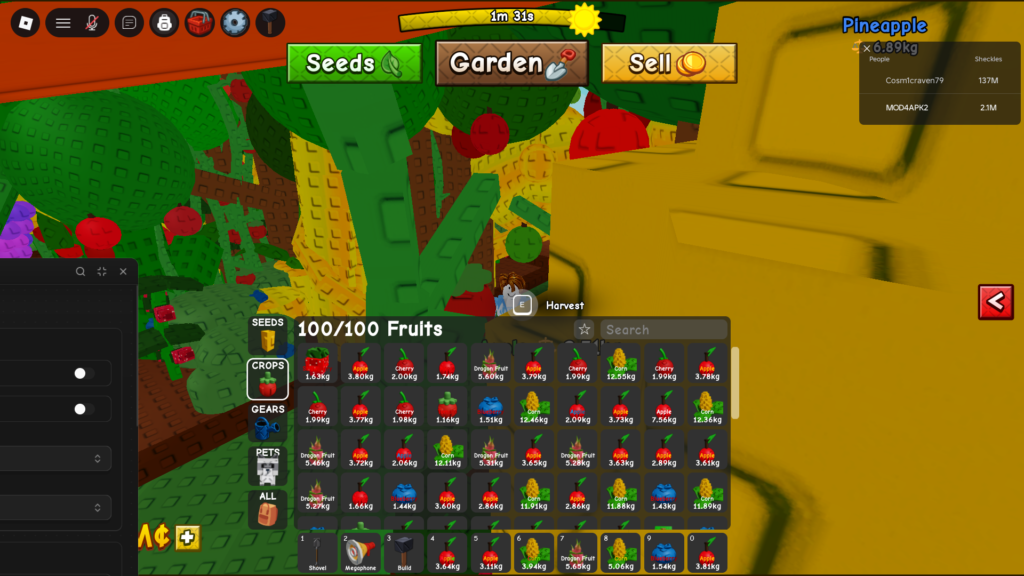
Once I turned it on, it harvested every fruit on my farm and filled my inventory to the maximum within just a few seconds. It was definitely one of the standout features.
The following image shows an in-game screenshot with the inventory completely full.
In the same menu, you will also find the Auto Plant option.
This feature helps you plant all the seeds you have without needing to go around and plant them manually yourself.
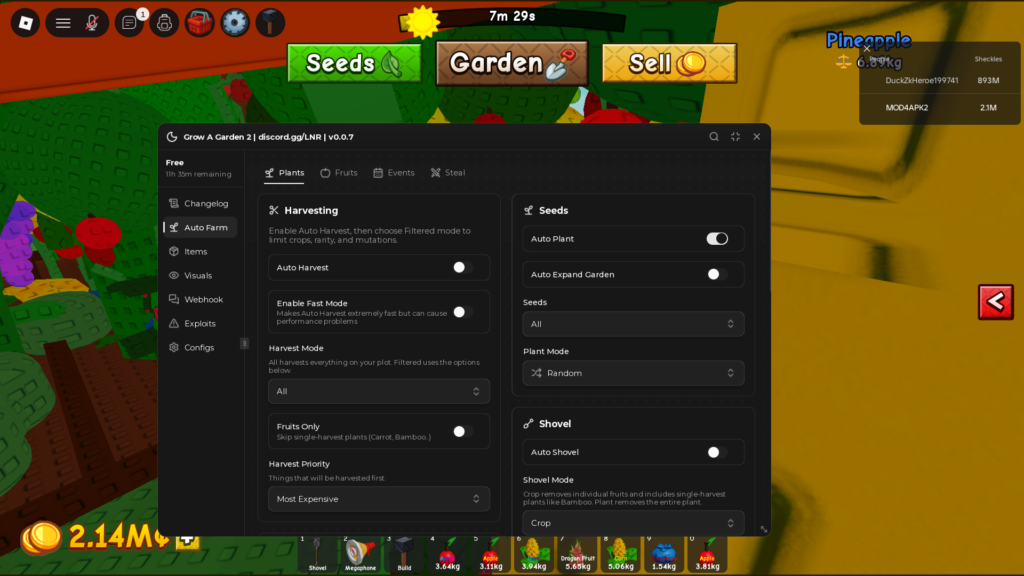
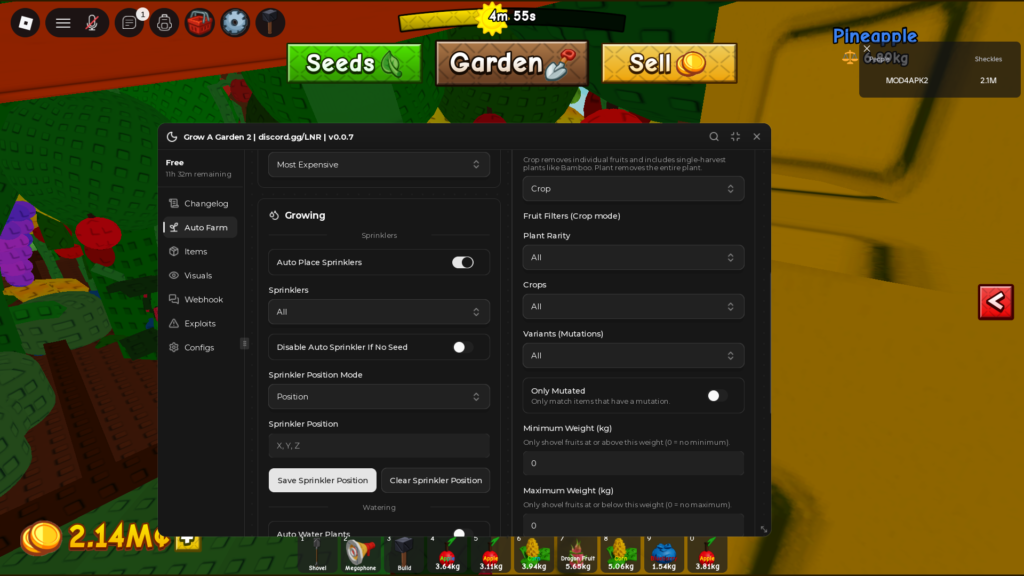
It also includes Auto Place Sprinklers.
What makes this feature special is that you can choose a specific position, and the script will automatically place the sprinklers for you in that location.
+Fruits tab
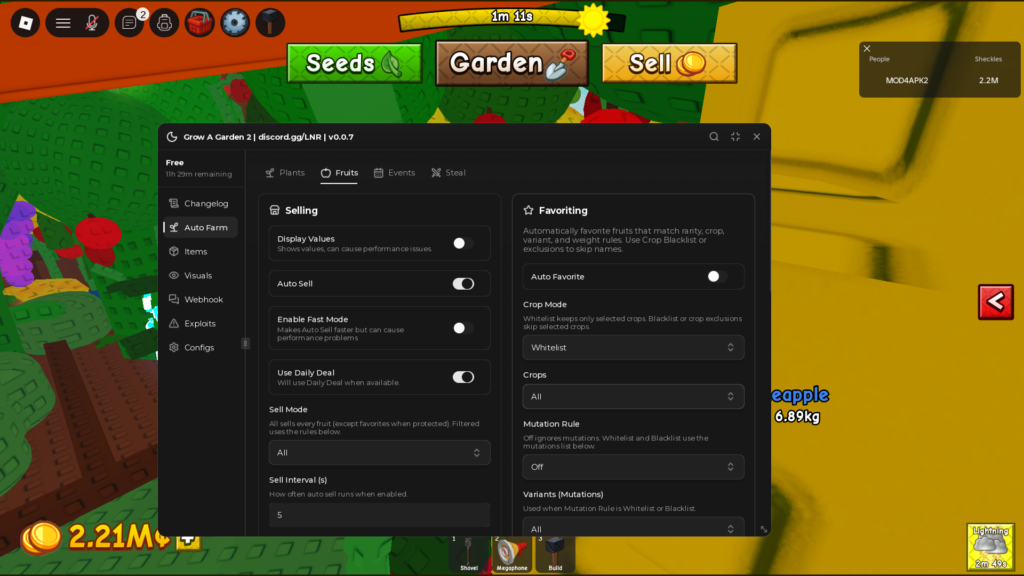
Selling fruits was a tiring task because after harvesting, I had to go to the Shop Sell area and sell the fruits manually, That’s why the Auto Sell option was a great addition here.
With just one click, it sells everything for you automatically.
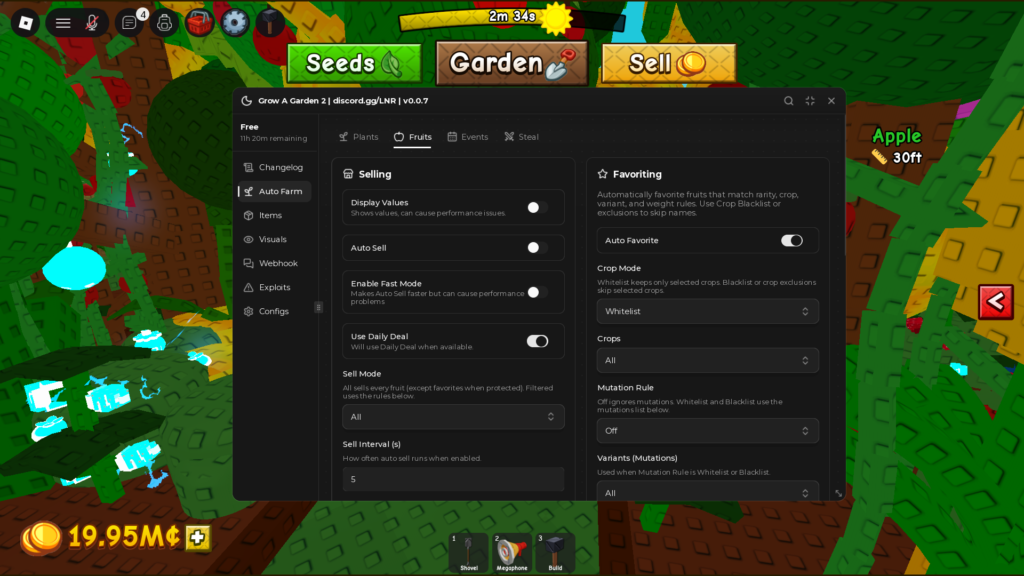
The next option in the menu is Auto Favorite Fruits.
When I enabled it, it automatically favorited the fruits for me, What makes this feature special is that it allows you to choose the rarity and weight of the fruits you want to favorite.
+Event tab
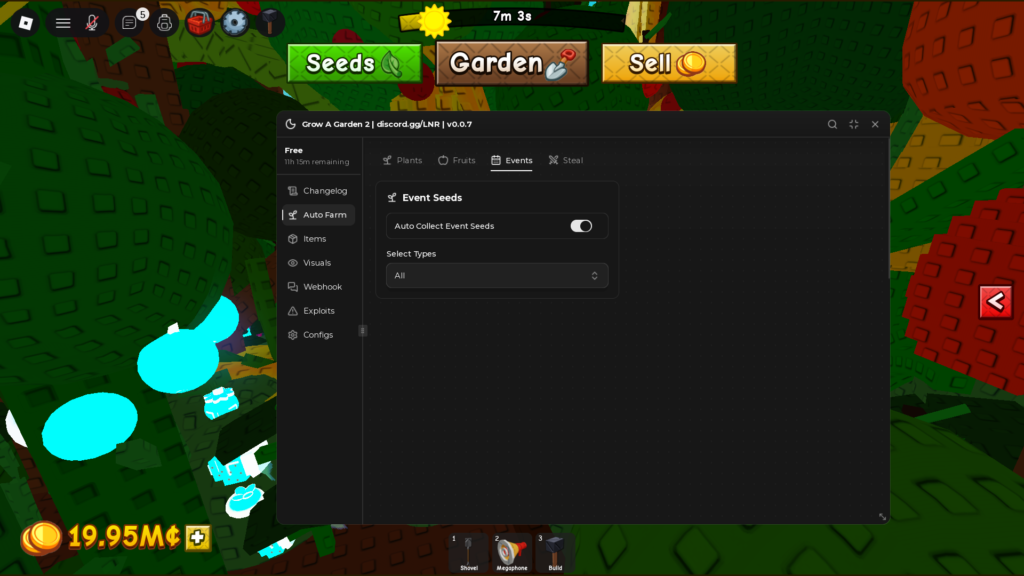
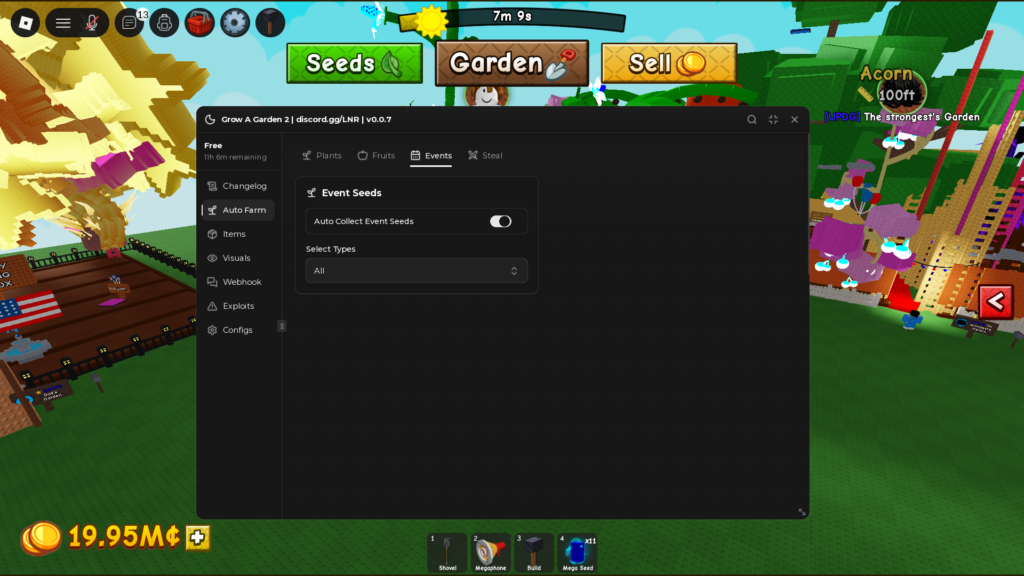
It also includes Auto Collect Event Seed.
I used to struggle with collecting event seeds like Rainbow, Gold, and Mega seeds. After using this option, I didn’t have to spend any more time collecting them manually.
The image shows the effectiveness of this feature, as I was able to collect x11 Mega seeds thanks to this option.
+Steal tab
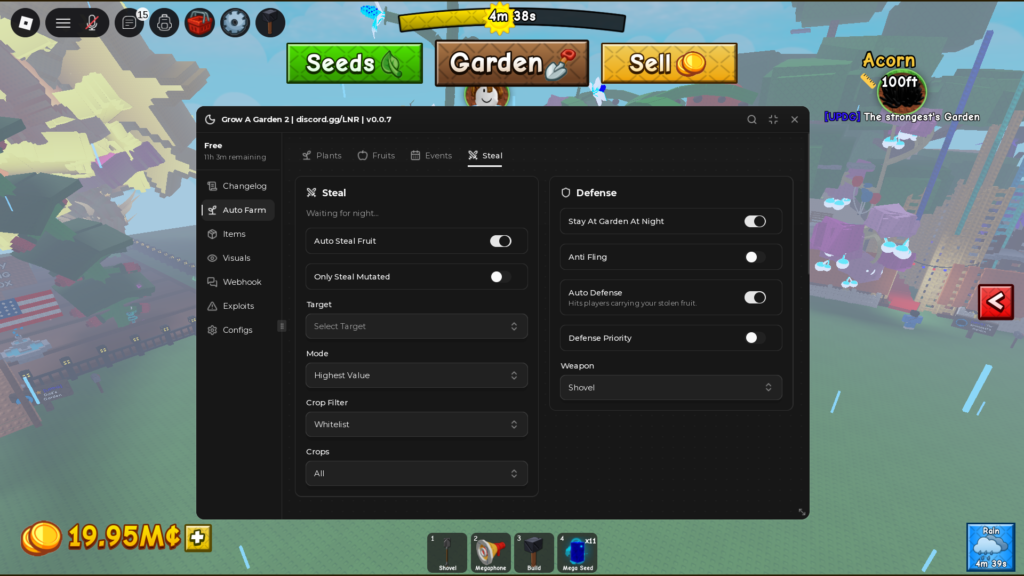
This tab was my favorite one during my experience using the script.
It really stood out because it included the Auto Steal feature, This option helped me a lot with collecting Shekels by making it easier to steal from other players at night without the hassle of doing it manually like the traditional way.
It also helped me avoid getting caught by other players while being in their gardens. In addition to that, there are other special options under Defense.
It includes several features, such as the option to stay in your farm at night, and the Auto Defense option, which helped me a lot in protecting my farm from being stolen.
3-Items Menu
+Shop tab
includes Auto Buy Seed.
This option was very helpful because there were rare fruits available in the Shop, but other players usually got them before me, Thanks to this feature, I was able to buy seeds from the shop quickly before anyone else could get them.
It also includes other features such as Auto Buy Gears and Create, I think these options will be just as powerful as the previous one.
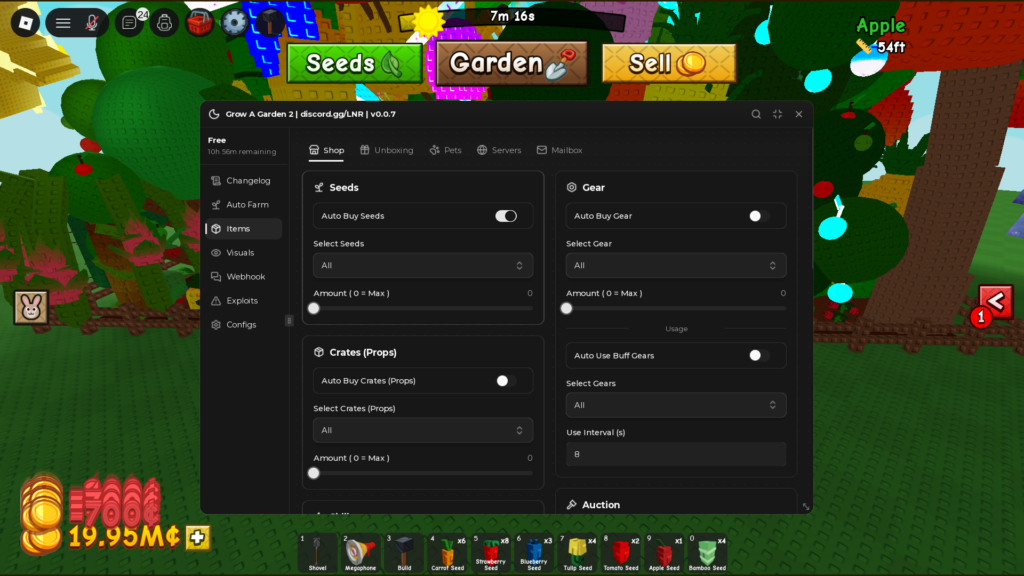
It also includes other tabs such as:
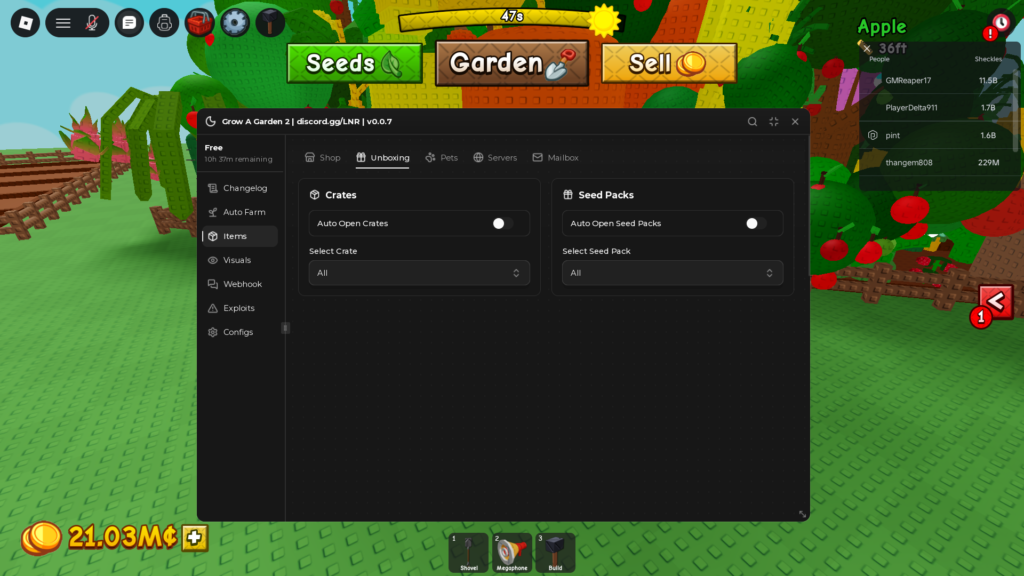
+Unboxing tab
It allows you to enable two options: Auto Open Crates and Auto Open Seed Packs.
+Pets tab
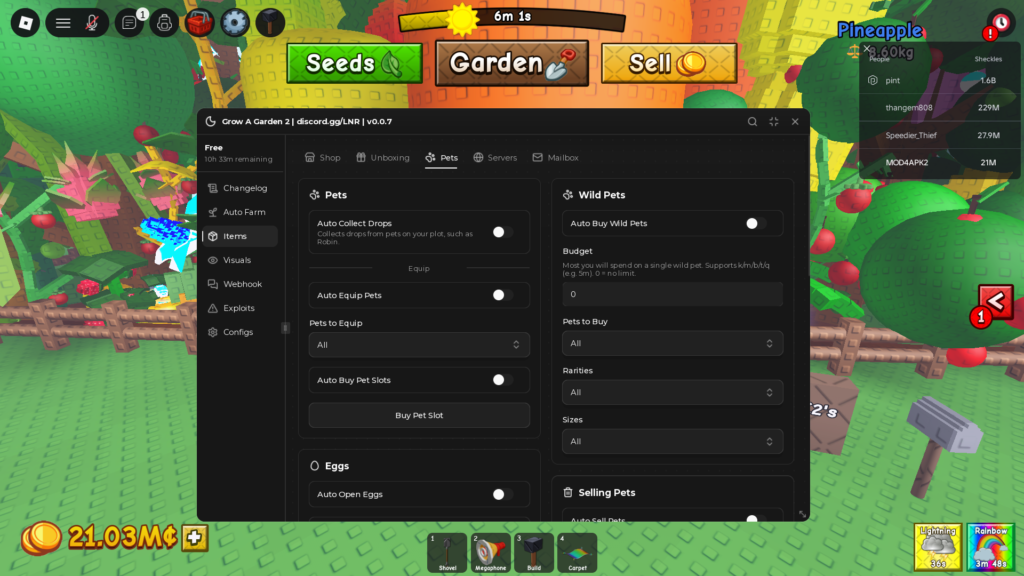
The tab includes features such as:
Auto Collect Drops Automatically collects drops/rewards from pets on your plot, Such as Robin.
Auto Buy Wild Pets,Auto Open Eggs,Auto Sell Pets.
All of these options are very useful for Grow a Garden 2 players.
SHOWCASE Video :
Now you can get more detailed information about the script. Watch the following video to see these features and my experience using it.
How to Use the Script
Step :
1- you need to copy the script code located in the Script Box.
Click “Copy Script” for auto copy script.
Script Box
2- Paste the script into your script application
3- Run and done
Answers to some questions that may be on your mind
Which executors does Ajjans Hub support?
PC Executors
- Volt
- Wave
- Velocity
- Xeno
- Solara
Android Executors
- Delta
- Vega X
- Codex
iOS Executors
- Delta
Is Lunar Hub keyless?
No, it is not keyless. It requires you to get a key before you can start using it.
You can get a free key that lasts for 12 hours, Here are the steps:
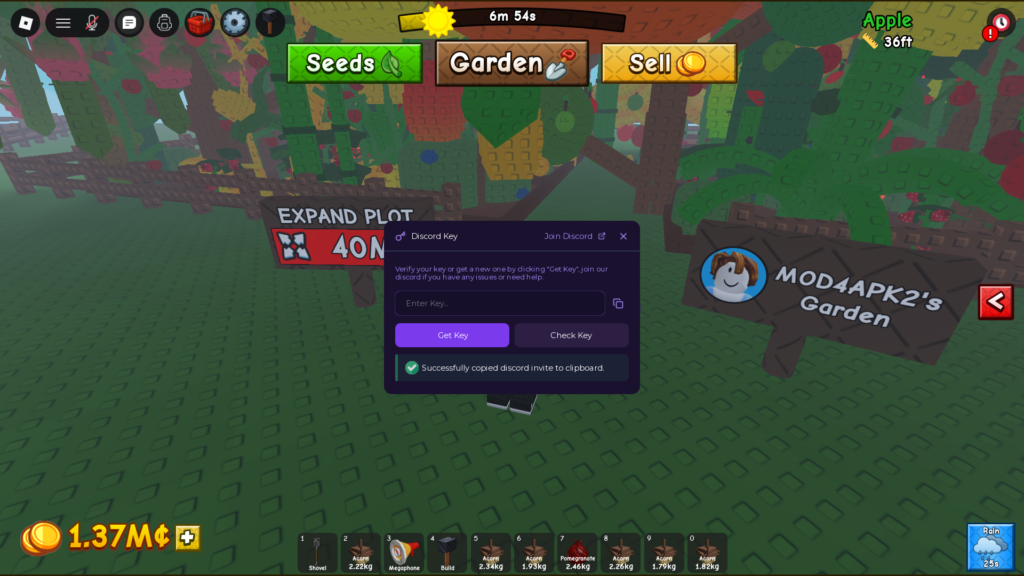
When you run the script, the key interface will appear as shown below.
Click on Get Key.
Select the method you want to use to get the key, as shown in the image, It allows you to get the free key through multiple different methods.
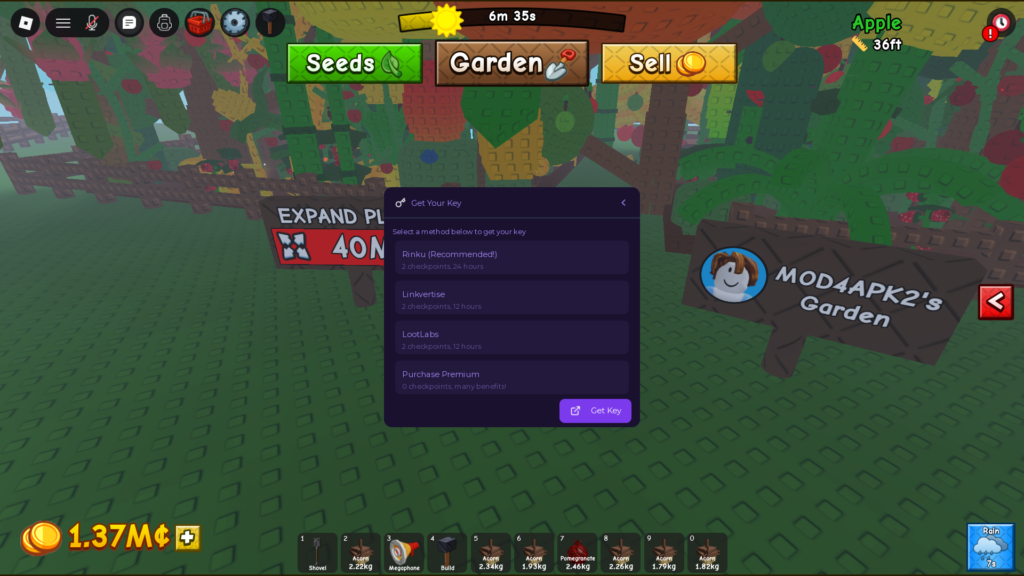
The available methods are:
Rinku (Recommended)
It allows you to get a free key that lasts for 24 hours.
There are also two other methods:
Linkvertise and Lootlabs, which allow you to get a free key that lasts for 12 hours.
The last option is buying a key, which comes with many benefits.
Summary
Lunar Hub is a great option for Roblox players, especially for Grow a Garden 2, as it comes with several powerful features that make the game better, It helps you collect Shekels more easily, complete harvesting tasks, and handle many in-game tasks with just one click.
It does require a key, but it allows you to get a free key every 24 hours or 12 hours, depending on the method you choose.
It also works with all executors on PC, Android, and iOS.
You can now join the script developer’s Discord server by clicking the Join Discord button.
Other topics related to this article that I recommend you check out
1.Grow a Garden 2 Script – Ajjans Hub
2.Grow a Garden 2 Script – Teddy Hub
3.Grow a Garden 2 Script – Void Hub